Author: acuervo

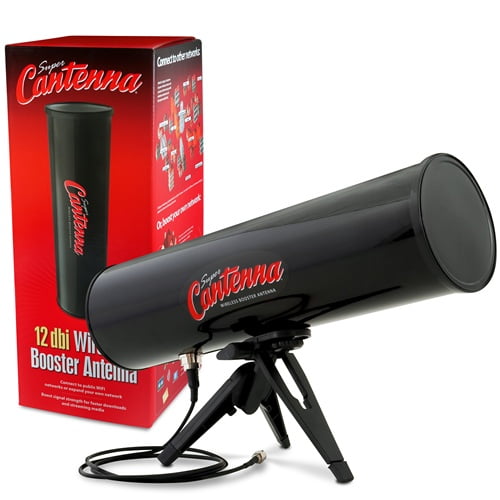
  • Super Cantenna.

    I have been looking for something like this.

    I can finally deal with dead/weak signal spots.
    How the Super Cantenna performs compared to other antennas:
    Omni-directional whip antenna
    Flat panel semi-directional antenna

    Super Cantenna directional antenna

    The importance of beamwidth:
    Omni-directional whip antenna
    360°–Signal travels in all directions for a short distance
    Flat panel semi-directional antenna
    90-180°–Signal travels in a broad direction for a short distance

    Super Cantenna directional antenna

    30°–Signal travels in a narrow direction for a long distance.

    The Super Cantenna focuses your signal where you use it the most.

    http://www.cantenna.com/howtouseit.html

  • Why you should not be using a task-killer with Android


    By default, every application runs in its own Linux process. Android starts the process when any of the application’s code needs to be executed, and shuts down the process when it’s no longer needed and system resources are required by other applications.

    • Android is hard coded to automatically kill a task when more memory is needed.
    • Android is hard coded to automatically kill a task when it’s done doing what it needs to do.
    • Android is hard coded to automatically kill a task when you haven’t returned to it in a long time.
    • Most services (while possibly running in the background) use very little memory when not actively doing something.
    • A content provider is only doing something when there is a notification for it to give. Otherwise it uses very little memory.
    • Killing a process when it isn’t ready only causes it to have to reload itself and start from scratch when it’s needed again.
    • Because a task is likely running in the background for a reason, killing it will only cause it to re-spawn as soon as the activity that was using it looks for it again. And it will just have to start over again.
    • Killing certain processes can have undesirable side effects. Not receiving text messages, alarms not going off, and force closes just to name a few.
    • The only true way to prevent something from running at all on your phone would be to uninstall the .apk.
    • Most applications will exit themselves if you get out of it by hitting “back” until it closes rather than hitting the “home” button. But even with hitting home, Android will eventually kill it once it’s been in the background for a while.


    via FAQ: Why You Shouldn’t Be Using a Task Killer with Android.

  • Load Impact – web site load test

    Slow websites means lost customers and revenues. Be proactive and find out the performance limits of your website before you learn the hard way. Load Impact is an online load testing service that lets you load test your website with just a few mouse clicks.

    via Load Impact – Free web site load test.

  • Simple Invoices

    What is Simple Invoices?

    Simple Invoices is a free, open source, web based invoicing system that you can install on your server/pc or have hosted by one of their services providers.

    via Simple Invoices | An Open Source, Web-Based Invoicing System.

  • Usbwebserver

    USBWebserver is a combination of the popular webserver software: Apache, MySQL, Php and PhpMyAdmin. With USBWebserver it is possible to develop and show your php websites, everywhere and anytime The advantage of USBWebserver is, you can use it from USB of even CD

    USBWebserver is perfect for:

    • Show a offline version of your website
    • Anywhere and anytime develop php websites
    • No need for expensive hosting
    • Working at multiple locations at projects
    • A good test before putting your website online
    • And many more

    via Usbwebserver V8.

  • Phatch – Photo Batch Processor

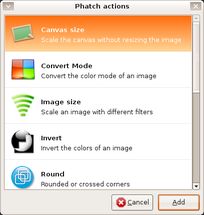
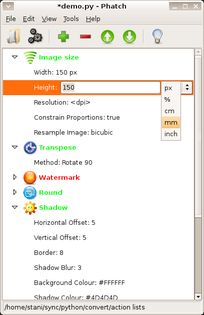
    Phatch is an user friendly, cross-platform Photo Batch Processor and Exif Renamer with a nice graphical user interface. Phatch handles all popular image formats and can duplicate (sub)folder hierarchies. Phatch can batch resize, rotate, apply shadows, perspective, rounded corners, … and do much more actions in minutes instead of hours or days if you do it manually.

    Phatch – Photo Batch Processor.

  • DBP – David’s Batch Processor

    What is it?

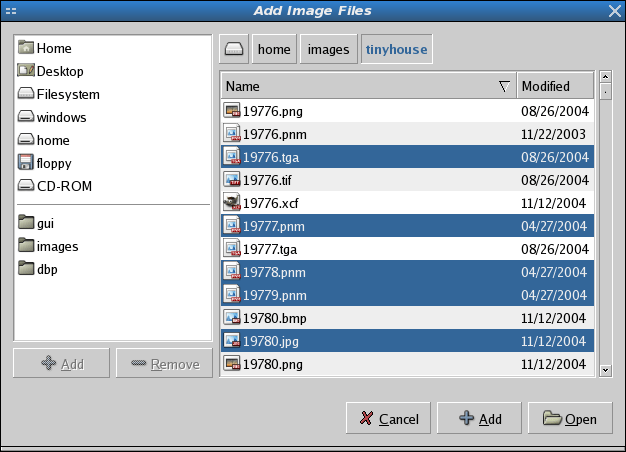
    DBP (David’s Batch Processor) is a simple batch processing plugin for the Gimp – it allows the user to automatically perform operations (such as resize) on a collection of image files. Its main advantage is that the user does not have to learn a scripting language. Like the Gimp itself, DBP relies on a graphical interface. The user creates a list of images, and sets up the processing required for each image. The results of the current settings can be displayed. Once the required sequence of operations has been set up, DBP performs the same processing on each image in turn. The images can be colour corrected, resized, cropped, and sharpened, then renamed and saved to a different file in a specified image format.

    via DBP – David’s Batch Processor.

  • HTML5 Boilerplate

    This is completely amazing:

    HTML5 Boilerplate is the professional badass’s base HTML/CSS/JS template for a fast, robust and future-proof site.

    After more than two years in iterative development, you get the best of the best practices baked in: cross-browser normalization, performance optimizations, even optional features like cross-domain Ajax and Flash. A starter apache .htaccess config file hooks you the eff up with caching rules and preps your site to serve HTML5 video, use @font-face, and get your gzip zipple on.

    Boilerplate is not a framework, nor does it prescribe any philosophy of development, it’s just got some tricks to get your project off the ground quickly and right-footed.

    http://html5boilerplate.com/